
Flexible Spending Accounts (FSAs)

Save pre-tax dollars for future eligible expenses.

Flexible Spending Accounts (FSAs) let you set aside money to cover eligible out-of-pocket health care and dependent care expenses.

The benefit is provided by Navia Benefit Solutions. Medical plan enrollment is not required.

ATTENTION: Plan Year 2026 FSA Participants

Effective January 1, 2026, TaxSaver Plan has transitioned to Navia Benefit Solutions.
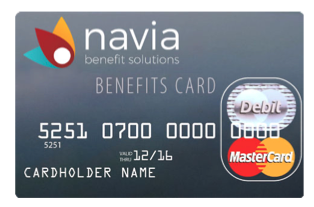
2026 FSA participants will receive a Navia debit card in the mail along with a “Welcome to Navia Benefits” registration email. Call (800) 669-3539 to request an additional card for a spouse and/or dependent.

NOTE: If you enrolled in plan year 2025 under TaxSaver Plan, your rollover FSA funds and direct deposit information will be automatically migrated when you register your new Navia account.
Why the “new” vendor? In July 2022, TaxSaver Plan announced its partnership with Navia Benefit Solutions. As a result of this partnership, your FSA benefit will be moving to the Navia platform effective January 1, 2026.

New and existing FSA participants MUST register on Navia’s website to manage funds and claims.
  1. Click here to visit Navia’s registration site
  2. Click the “I’m a Participant” button
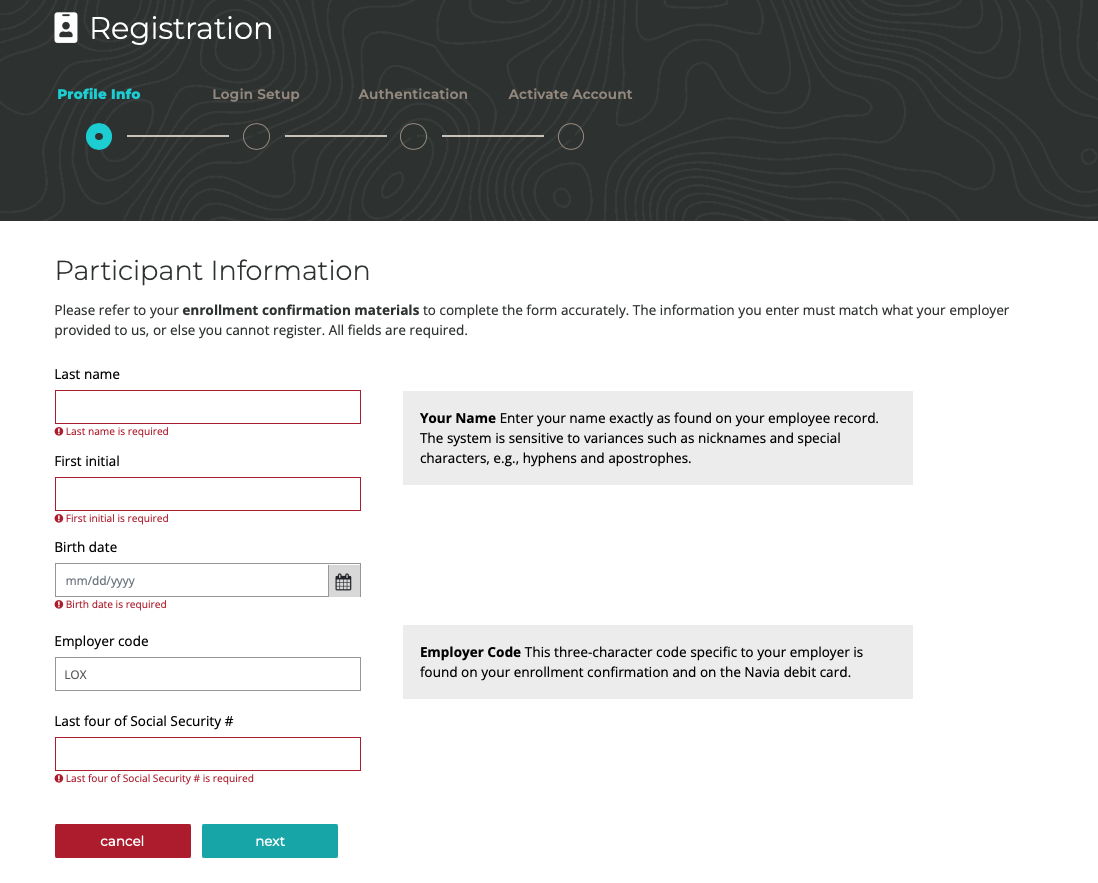
  3. Next, you will need to fill in the following information:
    • Last Name (enter your name exactly as found in your BenefitSource account)
    • First Name Initial ONLY (no hyphens or apostrophes)
    • Date of Birth
    • Lennox Employer Code: LOX
    • Last four digits of your Social Security #
    • Personal Email Address
  4. Choose and answer three security questions
  5. Enter a username (this will be your account login)
  6. Accept the Terms and Conditions.
  7. Click “Submit”.
  8. Check for an email confirmation with a temporary link to set your account password.
Need help? Call Navia at 800-669-3539. You can also refer to the TaxSaver to Navia Transition Announcement.

Claim Your 2025 FSA-Eligible Expenses Before March 31, 2026


Submit your plan year 2025 Health Care FSA and/or Dependent Care FSA-eligible expense claims for reimbursement in your Navia account. Here are 50 ways to spend your FSA dollars!

Existing and new FSA participants MUST register on the Navia platform effective January 1, 2026.

Eligibility

Asset 1@2x

Benefit Features

When can I elect the FSA?

FSAs can only be elected during annual Open Enrollment, or within 31 days of a qualifying life event. Participation is voluntary and medical plan enrollment is not required.
  • FSA contribution(s) are deducted from your paycheck before taxes.
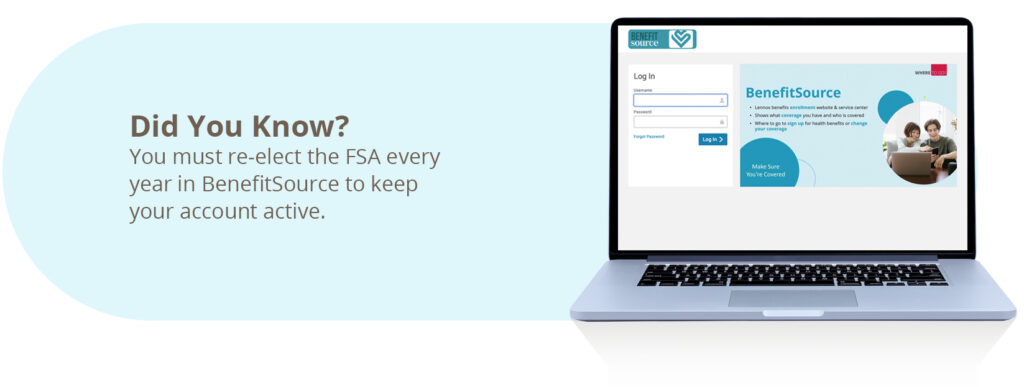
  • The FSA benefit requires re-election every year to keep your account active.
  • Not sure how much pre-tax money to set aside? Click here for budgeting tips!

What are my FSA options?

You can elect to participate in one or both FSA options below.

Health Care FSA:
  • Helps pay for eligible medical, dental, vision, and over-the-counter expenses for you or a dependent.
  • Your elected annual Health Care FSA amount will be available in full starting January 1 to help pay down your annual medical deductible and out-of-pocket maximum.
  • Up to $640 of unused Health Care FSA funds can be rolled over to the next year.
  • Search for eligible FSA items.
Dependent Care FSA:
  • Helps pay for eligible expenses associated with childcare/babysitting, nursery school, preschool, after-school programs, adult day care, eldercare programs, day camps, and late pick-up fees.
  • To qualify you must care for a child(ren) under age 13, a dependent (over age 26) who is physically or mentally incapable of self-care, and/or an elder eligible adult who lives with you.
  • Unused Dependent Care FSA funds do not rollover to the next plan year.
Health Care FSA Dependent Care FSA
How Much Pre-Tax Money
Can I Contribute?
2026
$250 minimum
$3,400 maximum
2026
$250 minimum
$7,500 maximum
(or $3,750 maximum if married but filing taxes separately)
When Are My FSA
Funds Available?
The money you elect to put aside will be available in full immediately beginning January 1 – you don’t have to wait for it to accrue to begin using your FSA. You can also submit receipts for reimbursement. Expenses can only be reimbursed up to the amount you have elected to put aside in your account when you submit your claim.
How Can I Access
My FSA Funds?
You will receive a debit card in the mail that can be used to pay for eligible expenses.

NOTE: If you forget to use your FSA debit card to pay for a qualifying expense, you will need to provide a copy of the itemized receipt for reimbursement.
For reimbursement, you must keep receipts of eligible expenses and submit your claims online.

NOTE: Keep your receipts and submit them with your claim for reimbursement.
What Are The IRS-Approved
FSA Expenses?
IRS-qualifying medical, prescription, dental, vision, and over-the-counter expenses include:
  • Annual deductibles
  • Copays / Coinsurance
  • Prescription drugs
  • Medical supplies
  • Over-the-counter drugs
  • Dental care
  • Vision care, prescription eyeglasses, & contact lenses.
IRS-qualifying dependent care expenses include:
  • Nursery schools
  • Licensed day care centers
  • In-home day care
  • Before- and after-school care (if not already included in tuition)
  • Summer day camp, but not overnight camp
  • Adult day care facilities for elder adults or dependent adults who are mentally or physically incapable of caring for themselves.
What Is The Deadline For FSA Expenses? You can incur eligible expenses through December 31 of the current plan year.

You must submit expenses by March 31 of the following year.

NOTE: Up to $640 of unused Health Care FSA funds can be rolled over to the next year.
You can incur eligible expenses through December 31 of the current plan year.

You must submit expenses by March 31 of the following year.

NOTE: Dependent Care FSA funds are “use it or lose” and cannot be rolled over.

Get the App

The MyNavia mobile app lets you manage your FSAs on the go.
App Store | Google Play

Additional Information

Video

How to Maximize the Benefits of Your FSA Dollars